








Welcome to the The CellStream Online School of Network Science Reference Library and Resource Center!

All the information below is **free**, all you need is an account here!  

It only takes a minute to create one (click the Login button at the top right)    

The benefits of having a user account here are many:

  • like tracking your completion progress,
  • and being able to contribute in Forums and such.

To create a registered account - click on the Log In button at the top right of your screen, then select the Create a new account button.

Once that is done, you can access any of the items below. 

We provide a series of references and resource information here.  

It starts with our Network Science Fundamental Operations Reference book.  Here you can find out how basic data communications works.  And there is a ton more.  

If you would like to see more free content and references like this, please support us by clicking the patron link where you will receive free bonus access to courses and more, or simply buying us a cup of coffee!

Once you have created a free account here, simply select the references below, and you will be automatically enrolled!

Enjoy! 

Telecommunications and the Internet: Where did it all begin?  How did it begin?  These are the basic questions that we wanted to answer in a timeline format.  The project started with just Telecommunications in general.  As the research grew, we realized that having a single timeline did not make sense, and so we have created two: one that addresses Telecommunication in general, and one that deals with the Internet.  These are our Timeline Wiki Research Projects.

This is a reference book for everyone who practices Network Sciences and all students here.  It is available to everyone here, and contains topic specific examples of network operations such as ARP, DHCP, DNS and more.  

Curious or forget how a network fundamental operation works?  Consider this your reference.

Every IT/Network Scientist needs a set of tools - a tool belt - to help them set up, manage, and troubleshoot todays complex network systems.  

Preferably the tool belt comes at zero or little cost, or maybe it is open source.  

Each section in this reference lists a different tool with key information about the tool.  

What would you add? Let us know in the comments!

As the Internet has grown and evolved, its library of content has grown exponentially.  The problem is to limit context and applicability.  Hence the development of our own video library focused on Network Sciences.  Within this section of our Reference Library you will find a host of categorically arranged videos and references.  We encourage you to browse, watch, and learn.

This free and brief course and set of reference materials will instruct you how to set up and configure GNS3 on your computer/server.  This network emulation tool is great for studying and learning network sciences and protocols.

Nmap ("Network Mapper") is a free and open source (license) utility for network discovery and security auditing. Nmap was named “Security Product of the Year” by Linux Journal, Info World, LinuxQuestions.Org, and Codetalker Digest. It was even featured in twelve movies, including The Matrix Reloaded, Die Hard 4, Girl With the Dragon Tattoo, and The Bourne Ultimatum. Learn how yo use this free tool here.

Scapy is a Python-based packet manipulation and network testing tool that allows engineers to create, send, capture, and analyze network packets. Unlike packet analyzers that only observe traffic, Scapy lets you build packets from scratch and modify protocol fields across layers such as Ethernet, IP, TCP, UDP, ICMP, and DNS. Because it operates through Python scripts or an interactive shell, it is widely used for network experimentation, protocol testing, automation, and security research.

Learning Scapy is valuable because it gives you precise control over generating network traffic and testing protocol behavior. For engineers who use packet analysis tools like Wireshark, Scapy is a powerful companion because it can create the exact packets needed for troubleshooting, lab exercises, or security testing. It is especially useful for building reproducible network experiments and custom PCAP files for training or analysis.

Iperf/Iperf3 is a tool to measure maximum TCP bandwidth, allowing the tuning of various parameters, and UDP characteristics. Iperf reports bandwidth, delay jitter, datagram loss. Iperf was orginally developed by NLANR/DAST as a modern alternative for measuring TCP and UDP bandwidth performance. Learn how yo use this free tool here.

tcpdump is a command-line packet capture and network analysis tool used to observe traffic on a network interface. It captures packets in real time and displays their contents based on protocol headers such as Ethernet, IP, TCP, UDP, ICMP, and DNS. tcpdump uses the libpcap capture library and supports powerful capture filters that allow engineers to isolate specific traffic flows, making it an essential low-level troubleshooting tool on Linux, Unix, and many network appliances.

Learning tcpdump is valuable because it allows you to quickly capture and inspect network traffic directly from the command line, often on servers where graphical tools are not available. It is commonly used to diagnose connectivity problems, verify protocol behavior, and collect packet captures that can later be analyzed in tools like Wireshark. For network engineers and system administrators, tcpdump provides a fast and efficient way to perform packet-level troubleshooting in production environments.  Get introduced to what TCPDUMP is and how it works.  For many of us, this was the first way we captured packets.

Git is a distributed version control system used to track changes in files, most commonly source code, over time. It allows individuals or teams to manage revisions, maintain complete histories of changes, and collaborate on projects without overwriting each other’s work. Git stores snapshots of a project as commits, making it easy to compare versions, revert mistakes, and manage multiple development branches simultaneously.

Learning Git is valuable because it provides a reliable way to manage and protect important project files while enabling efficient collaboration. Even outside software development, Git can be used to track documentation, training materials, scripts, and configuration files. By using Git with platforms such as repositories and code hosting services, you gain a professional workflow for version control, backup, and structured project management.

This free course/content is a large collection of Tech Tips and "How To" procedures for Cisco IOS and IOX.  Simply log in/create a free user account here to access the contents of this "train yourself - train others" course.  

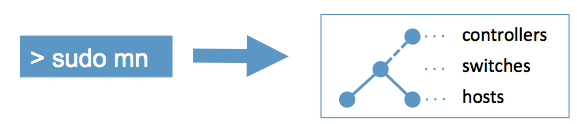
Mininet is an open-source network emulation platform that allows you to create realistic virtual networks on a single Linux system. It can emulate hosts, switches, routers, links, bandwidth limits, delays, and packet loss using lightweight virtualization and Linux network namespaces. This allows engineers to build complex topologies that behave like real networks without requiring large amounts of physical hardware.  This free and brief course will illustrate how to set up mininet on your computer/server so you can begin learning SDN concepts and protocols.  It contains an excellent set of video demonstrations.

Learning Mininet is valuable because it provides a safe and flexible environment for experimenting with network architectures, protocols, and troubleshooting techniques. Engineers can simulate real-world scenarios, test network designs, evaluate performance impacts, and reproduce problems in a controlled lab. It is widely used in networking education, software-defined networking (SDN) research, and protocol experimentation because it enables rapid creation and modification of network environments for testing and learning.